Onboarding (macOS App)
3 分钟阅读
Onboarding (macOS App)
This doc describes the current first‑run setup flow. The goal is a smooth “day 0” experience: pick where the Gateway runs, connect auth, run the wizard, and let the agent bootstrap itself. For a general overview of onboarding paths, see Onboarding Overview.
本文档介绍了 当前 的首次运行设置流程。其目标是实现流畅的“第0天”体验:选择 Gateway 运行位置、连接身份验证、运行向导并让代理自动完成引导。有关入职路径的总体概述,请参阅 Onboarding 概述。
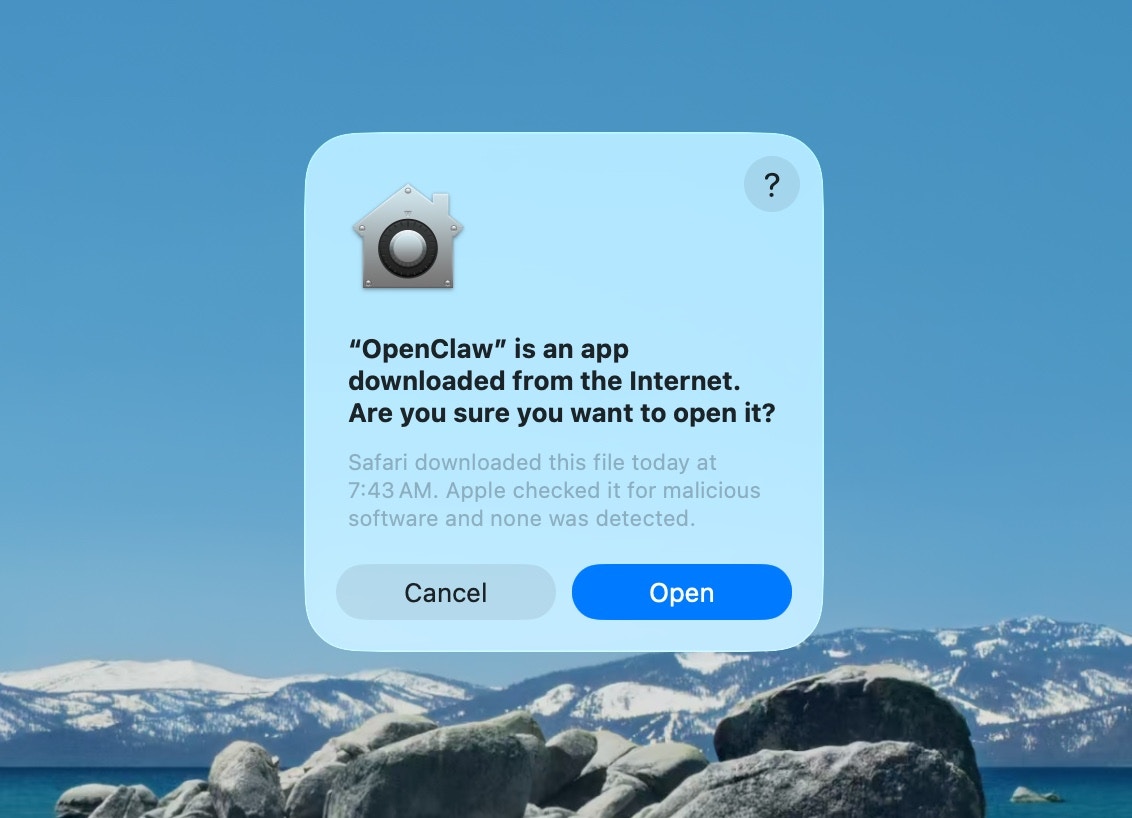
- Approve macOS warning 批准macOS警告
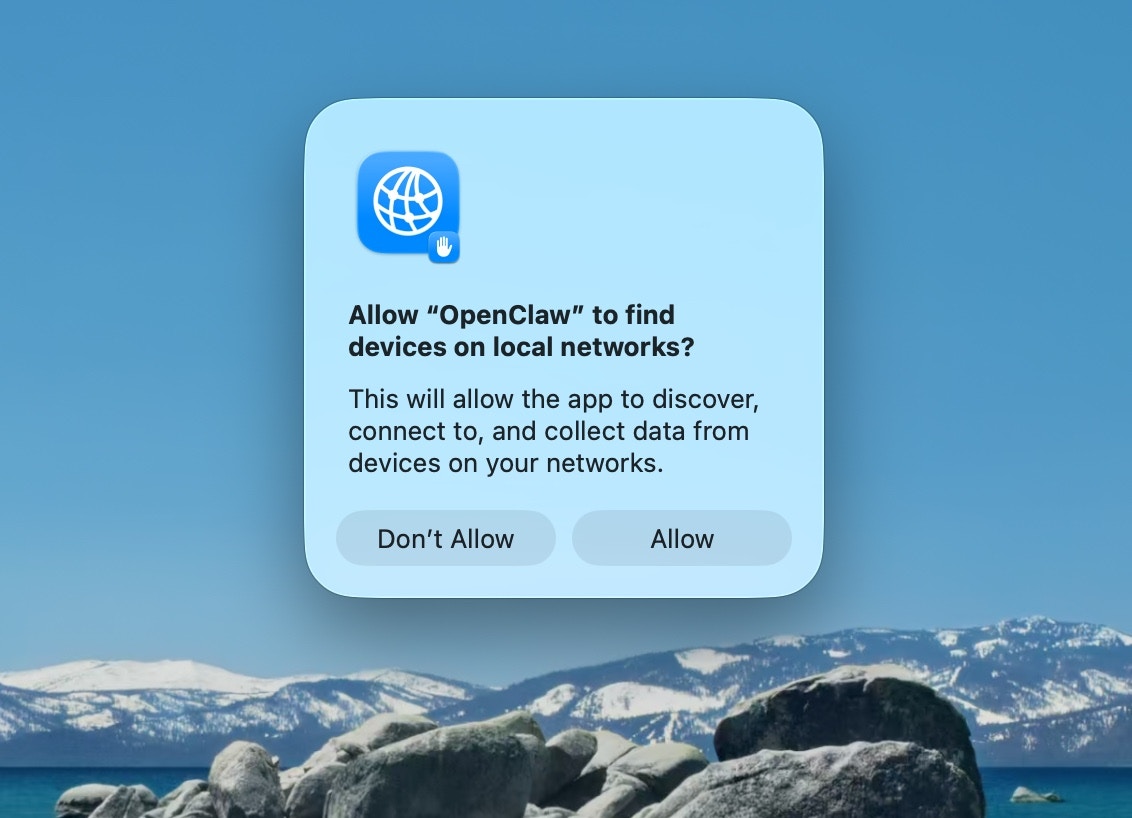
- Approve find local networks 允许查找本地网络
- Welcome and security notice 欢迎与安全提示
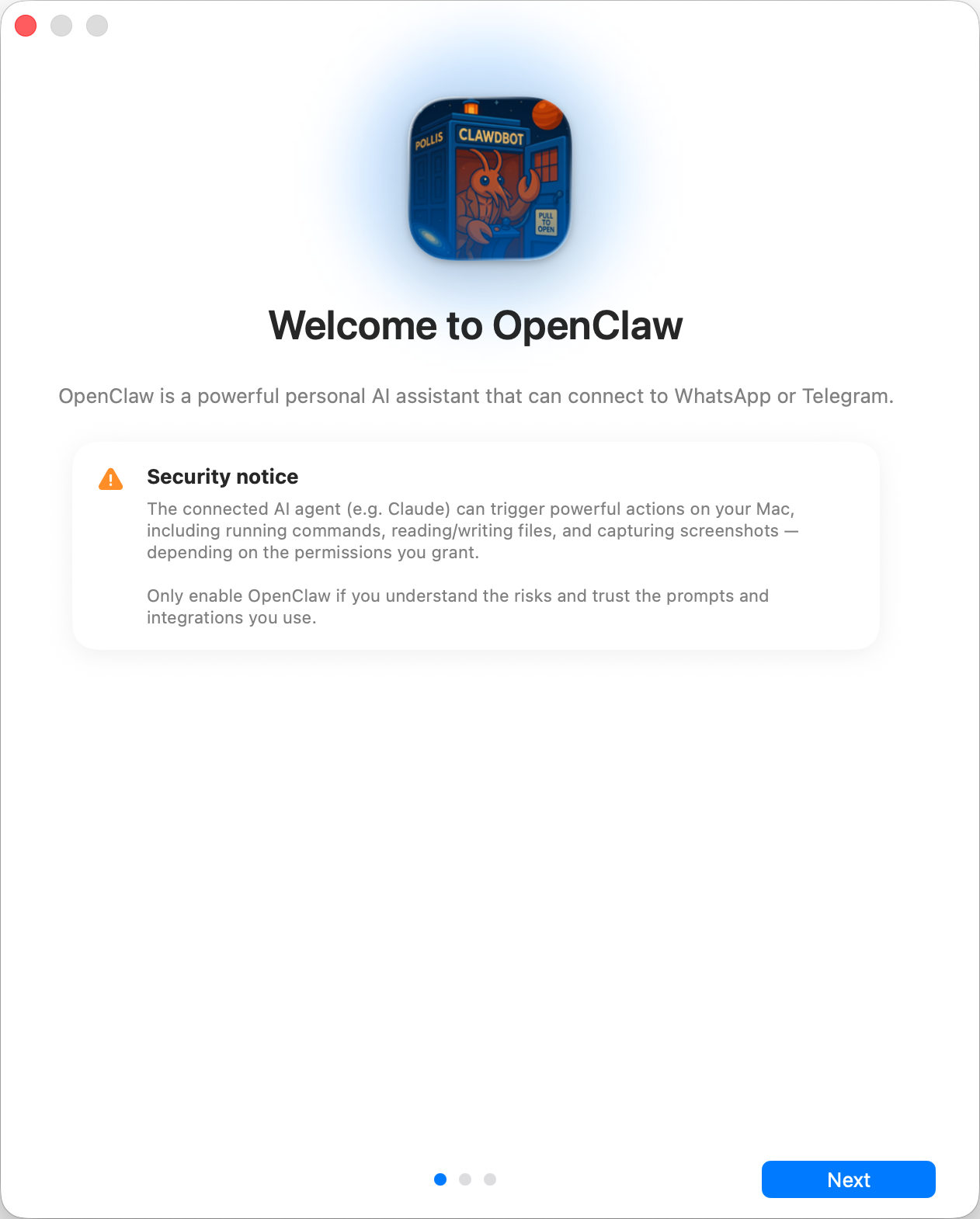
Read the security notice displayed and decide accordingly
阅读显示的安全通知并据此做出决定
Security trust model: 安全信任模型:
- By default, OpenClaw is a personal agent: one trusted operator boundary.
- 默认情况下,OpenClaw 是一款个人agent:拥有一个受信任的操作边界。
- Shared/multi-user setups require lock-down (split trust boundaries, keep tool access minimal, and follow Security).
- 共享/多用户设置需要进行锁定(划分信任边界,最大限度减少工具访问权限,并遵循安全规范)。
- Local onboarding now defaults new configs to
tools.profile: "coding"so fresh local setups keep filesystem/runtime tools without forcing the unrestrictedfullprofile.- 本地 onboarding 流程现在将新配置默认设置为
tools.profile: "coding",因此全新的本地设置可保留文件系统/运行时工具,同时无需强制启用无限制的full配置。
- 本地 onboarding 流程现在将新配置默认设置为
- If hooks/webhooks or other untrusted content feeds are enabled, use a strong modern model tier and keep strict tool policy/sandboxing.
- 如果启用了 hooks/webhooks 或其他不可信的内容源,请使用功能强大的现代模型层级,并执行严格的工具策略/沙箱防护。
- Local vs Remote 本地与远程
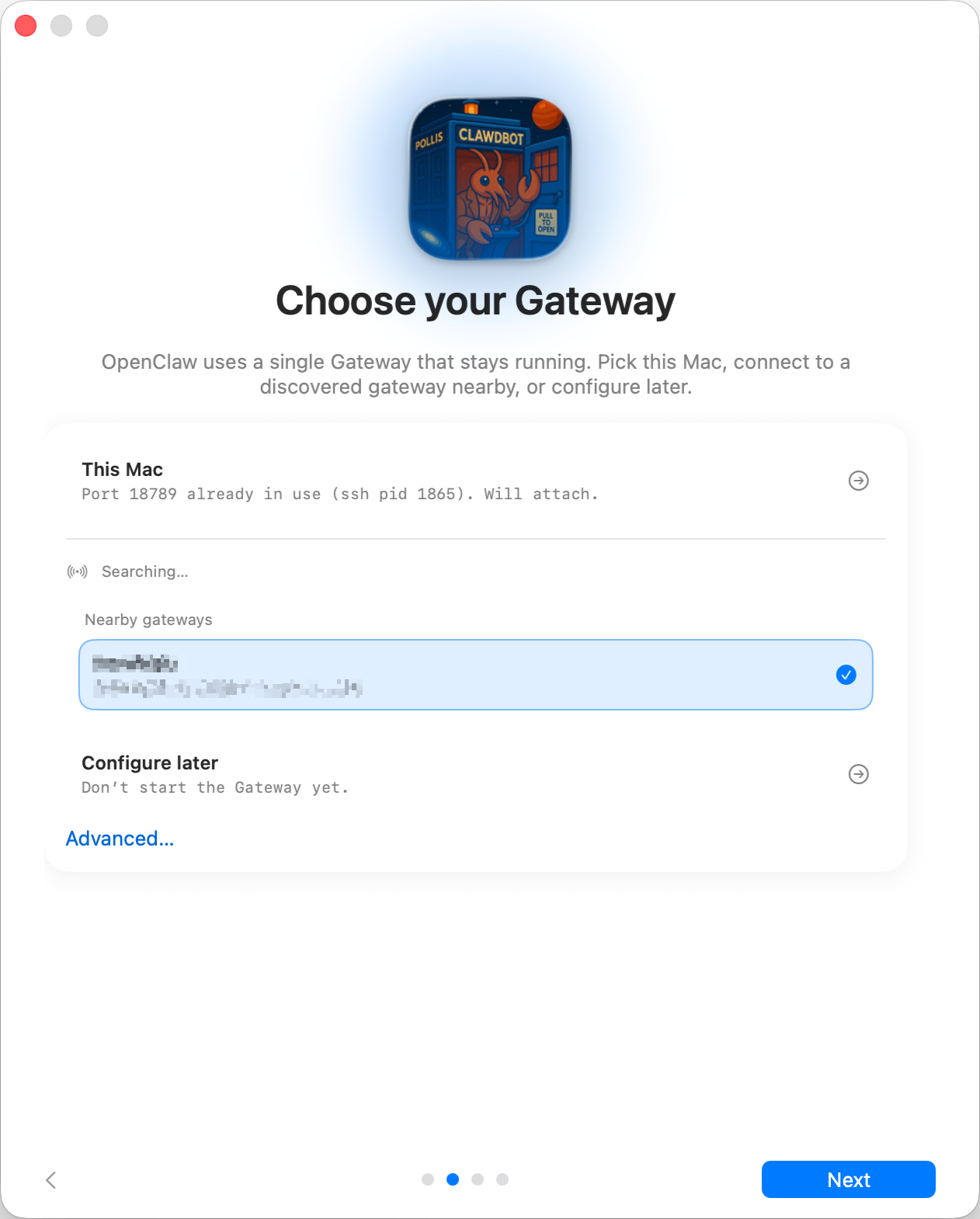
Where does the Gateway run? Gateway运行在何处?
- This Mac (Local only): onboarding can configure auth and write credentials locally.
- 此 Mac(仅限本地): onboarding 流程可在本地配置身份验证并写入凭据
- Remote (over SSH/Tailnet): onboarding does not configure local auth; credentials must exist on the gateway host.
- 远程(通过 SSH/Tailnet):onboarding 流程不配置本地身份验证;gateway 主机上必须已存在凭据。
- Configure later: skip setup and leave the app unconfigured.
- **稍后配置:**跳过设置,保持应用未配置状态。
Gateway auth tip: Gateway 身份验证提示:
- The wizard now generates a token even for loopback, so local WS clients must authenticate.
- 现在即便用回环连接,向导也会生成一个令牌,因此本地的 WebSocket 客户端必须进行身份验证。
- If you disable auth, any local process can connect; use that only on fully trusted machines.
- 如果你禁用身份验证,任何本地进程都可以连接;仅可在完全受信任的设备上使用此设置。
- Use a token for multi‑machine access or non‑loopback binds.
- 使用令牌进行多机器访问或非回环绑定。
- Permissions 权限
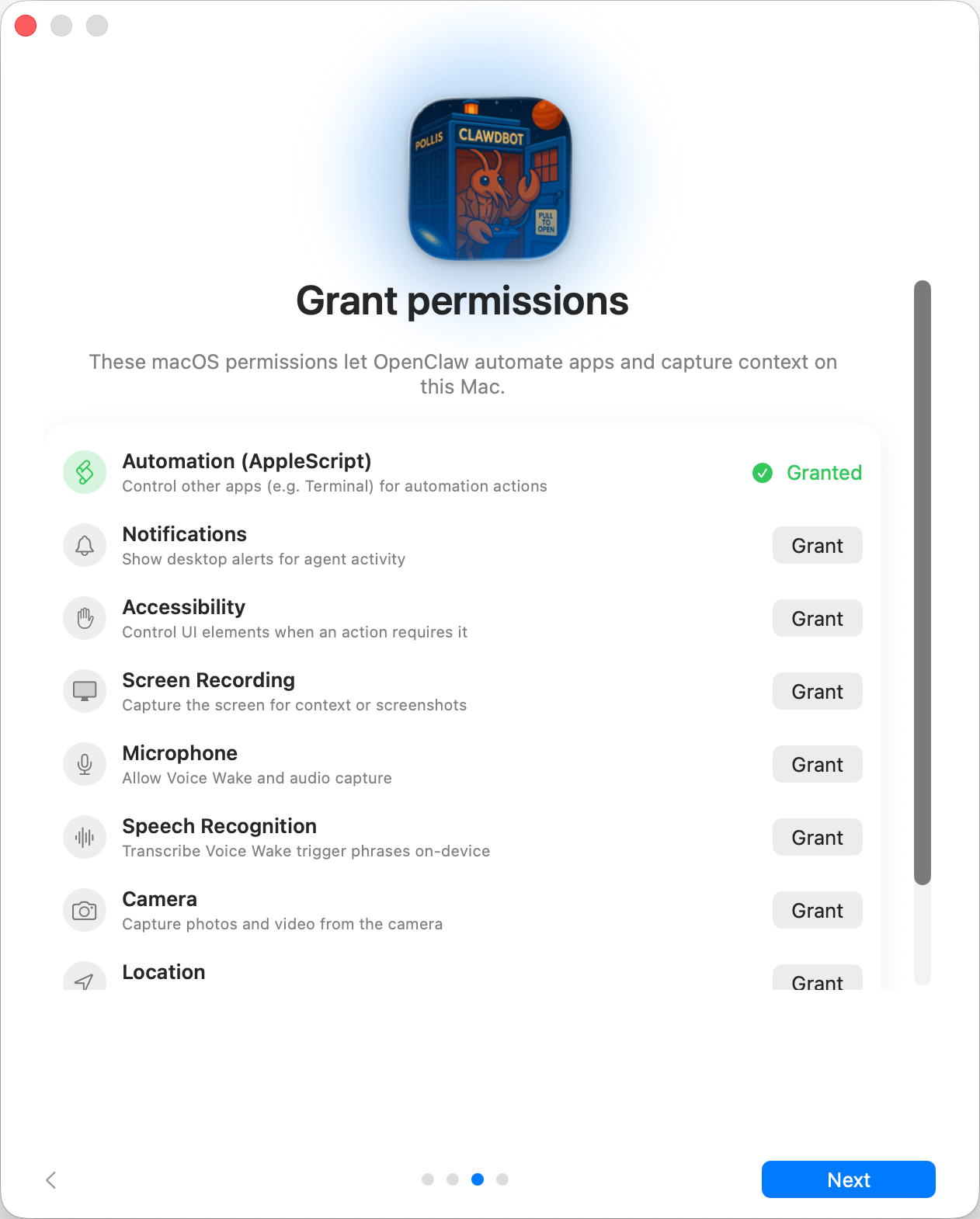
Choose what permissions do you want to give OpenClaw
选择你想授予 OpenClaw 的权限
Onboarding requests TCC permissions needed for:
首次使用时需要的 TCC 权限:
- Automation (AppleScript)
- Notifications
- Accessibility 辅助功能
- Screen Recording 屏幕录制
- Microphone
- Speech Recognition 语音识别
- Camera
- Location
- CLI
This step is optional
The app can install the global openclaw CLI via npm/pnpm so terminal workflows and launchd tasks work out of the box.
该应用可通过 npm/pnpm 安装全局 openclaw CLI ,因此终端工作流和 launchd 任务可直接使用。
- Onboarding Chat (dedicated session) Onboarding 聊天(专属会话)
After setup, the app opens a dedicated onboarding chat session so the agent can introduce itself and guide next steps. This keeps first‑run guidance separate from your normal conversation. See Bootstrapping for what happens on the gateway host during the first agent run.
设置完成后,应用会打开一个专属的 onboarding 聊天会话,以便 agent 进行自我介绍并指导后续步骤。这会将首次启动时的引导内容与你的正常对话区分开来。有关 agent 首次运行时 gateway 节点主机上发生的情况,请参阅Bootstrapping。